
Mugshots serve as the first visual clue when you begin a booking photo search for Kane County, letting you confirm identities before digging deeper into arrest records. By matching the image to a name, booking date, or inmate number, you can quickly separate a common name from the correct individual, reducing false leads and saving time. Our guide walks you through checking public mugshots, verifying booking information, and spotting missing or duplicate images, so you stay ahead of common pitfalls.
Mugshots often appear on official sheriff sites alongside booking details, but they can vanish if records are sealed or expunged. Understanding public access laws helps you know why a recent booking photo might be absent and what steps to take if a picture is misidentified. Learn how to request corrections, explore archived jail mugshots, and navigate the legal notice that an arrest does not prove guilt, all while keeping your search efficient and accurate.
How to Search Mugshots
Mugshots, booking photos, and arrest photos are search terms that often lead to a jail booking photograph, although some sources use those labels differently. For public reference, official jail mugshots listings indicate that a Kane County mugshot search helps readers find an official custody record and compare its photo with a name, booking number, and booking date. The Kane County Sheriff’s Office Corrections Menu is the official source for Kane County custody and detainee records. The purpose is a confirmed record match, not a conclusion based on facial resemblance alone.
Official Search Portal: https://www.kanesheriff.com/Pages/Corrections-Menu.aspx
Steps to Search
- Open the Corrections Menu and locate the Adult Justice Center/Jail or inmate lookup resource listed for custody records.
- Enter the person’s full legal name in the lookup form. If the form accepts a second field, add the booking number or booking date.
- Review each returned entry separately. Compare the displayed name, photograph, booking number, booking date, and custody status when those fields appear.
- Open the matching official entry. Compare it with another verified record or a known identifier before accepting the match.
- If no result appears, use the Adult Justice Center/Jail contact listed at the end of this page. Ask whether the custody roster accepts another name format or whether a historical booking photo can be requested.
Begin with the name exactly as it appears on the booking record. A middle initial, suffix, or spelling difference can affect the result, so try one documented variation at a time rather than combining several guesses. If the lookup supports a booking number, use it as the primary reference because it points to a specific booking rather than a group of people with the same name.
What a Kane County Mugshot Record Can Confirm
A verified Kane County booking photo connects a photograph with a named custody event. The photo alone cannot prove identity, guilt, or current custody status. The safest match uses several fields from the same official entry, such as the name, booking number, booking date, and displayed location or status.
A booking date is often the most useful second field when a name appears more than once. Compare the date with the event being researched, then check the booking number before accepting the photo. Do not combine a date from one search result with a photo from another.
Arrest photographs and booking photographs may also be separate images. A police photograph taken during an arrest is not necessarily the same as the jail’s intake image. The Corrections Menu serves as a custody resource, so a request about a police photograph may need to go to the agency that created that image.
Verifying Mugshot Accuracy and the Right Person
A fast visual match is not enough for a reliable mugshot lookup. Use a fixed sequence of record checks, and stop when two independent identifiers conflict. The purpose is to confirm that the photograph, name, and booking event belong together.
- Compare the full name with the spelling shown in the official result.
- Match the booking number before accepting any repeated-name result.
- Check that the booking date fits the event being researched.
- Read the custody location and status shown by the official page at the time of the lookup.
- Compare the image with another known photograph only after matching the record fields.
- Confirm that repeated images carry the same booking number and record details.
- Record the official page address and the date of the lookup so the result can be traced later.
- Reject any result that depends on appearance alone or mixes fields from separate entries.
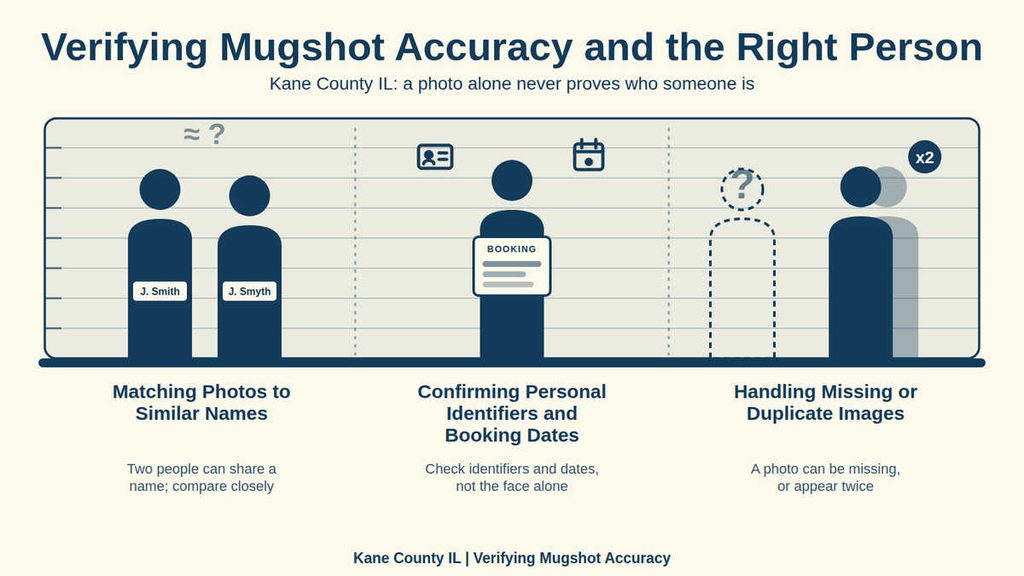
Matching Photos to Similar Names
Search engines and commercial pages sometimes place unrelated images next to one another. Angle, lighting, facial hair, age, and image quality can make two people appear closer than they are. A photo resemblance can support a search, but it cannot settle the identity of a person with a repeated name.
For people who share a name, compare the booking number and booking date from the official entry. A matching name plus the correct date and booking number provides a stronger result than a close visual match. If two official rows carry the same name but different booking numbers, treat them as separate records until the jail resolves the discrepancy.
Confirming Personal Identifiers and Booking Dates
Personal identifiers should come from the same record as the image. A full legal name at the time of booking may differ from a later spelling, suffix, or surname. Try documented name variations one at a time. Avoid broad searches based only on a first name, nickname, or initials, because those terms can return a large number of unrelated records.
The booking date serves a narrower purpose than the arrest date or court date. It places the person in custody at a specific event, yet it does not describe the charge or outcome of a case. If the date, name, and photo disagree, keep each field tied to its source row and ask the official office which entry controls. Never merge partial details from separate rows to create a complete record.
Handling Missing or Duplicate Images
A missing image can result from a display choice, a broken media link, a restricted record, a name mismatch, or the absence of the person from a current roster. A blank result does not prove that a booking never occurred. Check the name format and booking identifiers first, then ask the official office whether a record exists and whether a photo is held for that booking.
Duplicate images require a slightly different check. The same photograph and booking number appearing twice usually represent one record displayed in more than one place. The same photograph paired with different booking numbers may reflect a copied entry, a mislabeled search result, or a record-linking error. Do not choose the version that appears first. Compare the booking number, date, and official page, and request an agency review when those fields conflict.
Public Record Laws and Restricted Records
Public mugshots are not identical to public criminal case records. Jail bookings, incident reports, and court dockets are separate records, and release rules can differ for each one. Illinois statutes, court orders, confidentiality rules, expungement, sealing, and agency publication choices can affect whether a booking photograph is shown.
The Corrections Menu is the official place to begin a Kane County custody search. It does not by itself decide whether a criminal case was dismissed, sealed, or expunged. Those legal questions belong to the court or the agency holding the case record.
Expunged, Sealed, or Restrictive State Laws
Expungement is a legal process that can change the public status of a criminal record. Its effect on a booking photograph depends on the exact order, the type of record, and the actions taken by the agency holding that record. A person should not assume that every external copy must disappear at the same moment.
Sealing also limits release, but the scope depends on the law or order involved. Some restrictions apply to a particular court file, while others affect records held by a criminal justice agency. A booking photograph, an incident report, and a court file can each receive a different treatment. Ask the agency holding the requested record about its status rather than drawing a conclusion from another record’s availability.
Restrictive state laws can also change which identifiers, images, or reports may be published online. The supplied Kane County Sheriff’s Office details do not list a mugshot removal fee, request form, deadline, or rule for every case type. The Adult Justice Center/Jail can confirm the status of a Kane County custody photo. Court or prosecuting agency offices can address the legal status of a case.
Legal Notice: An Arrest Does Not Establish Guilt
An arrest and a booking do not establish guilt. They document a custody action that occurs before a court resolves the charges. A person may later be released, have charges dismissed, or receive another case outcome. Even then, a historical booking photograph may remain unless a law or order changes its availability.
The legal presumption of innocence requires more than the absence of a conviction. In addition, consulting official busted mugshots records confirms that a verified mugshot can show that a booking occurred when it is tied to the correct official record. It cannot prove what offense was alleged, whether charges were filed, or how the case ended. Use an official court record for the case outcome, and state only what the verified booking record supports.
Never describe a person as guilty based on a booking photo or search result. Correct wording distinguishes between a person being arrested, a person being booked, a charge being filed, and a court finding. Each statement has a different source and legal meaning.
Mugshot Removal and Record Changes
A missing online photo creates two separate questions: whether the booking record exists and whether the photograph may be displayed. Answering one question does not answer the other. The official agency that holds the custody record is the proper source for both points.
If the Corrections Menu functions as a current roster, it may list only detainees who remain in custody. That makes the absence of a released person’s photo normal. A former detainee’s historical booking photograph may exist in agency files even though no current page shows it. Public mugshot availability and the existence of a custody record are separate points.
Process for Correcting Inaccurate Record Details
- Record the displayed name, booking number, booking date, photo, page address, and lookup date. Keep each field tied to the result where it appeared.
- Contact the Adult Justice Center/Jail using the number in the last section. State that you are asking about a custody record correction.
- Ask which official entry controls the booking and what review process applies. For a photo mismatch, ask which booking number and photograph belong to the record.
- Also ask about any fee, processing step, and certification requirements before paying or treating a downloaded image as an official document.
- Send disputed charge details, court dates, or expungement status to the court or prosecuting agency that controls the case file.
A saved copy of the page can support an inquiry by showing what the official result displayed on a particular date. It does not replace the underlying record or settle a legal dispute. Do not repost a disputed photo while the identity issue remains unresolved.
Historical and Archived Mugshots
Historical mugshots may appear in an old official result, a commercial index, a saved copy of a public page, or a search-engine snippet. Each source has a different value. An archived image can show that a photo was published at an earlier time, yet it cannot confirm current custody status or the outcome of a case.
For a historical jail mugshot search, prepare the full legal name, booking date, booking number, and the reason you need the image. Ask the Adult Justice Center/Jail whether historical booking photographs are retained, whether a request is available, which identifiers are required, what a copy costs, and whether certified copies can be issued. The published contact details do not provide those record-specific answers, so they must come from the office.
Contact Details
Use these official contact details to ask about a Kane County custody record, a historical booking photo, or an inaccurate entry. Provide the person’s full name, booking number, and approximate booking date when making an inquiry. These details can help staff identify the relevant record more efficiently. For questions about current custody status, confirm the information directly with the responsible detention facility. Record availability and access rules may vary depending on the type of information requested.
Frequently Asked Questions
Finding mugshots, booking photos, and arrest records helps people verify identity, confirm legal status, or gather information for personal safety. The Kane County Sheriff’s Office offers an official portal where you can view recent mugshots, see booking dates, and match photos with names or booking numbers. Access is free, updates daily, and respects privacy rules. This section answers the most common queries about mugshot searches, what details appear, and how to use the information responsibly.
How can I perform a mugshot search for a recent arrest in Kane County?
Visit the Kane County Sheriff’s Corrections Menu online. Enter the person’s full name, booking number, or date in the search fields. The system returns any matching booking photos, arrest photographs, and related details such as charge and custody status. Review the image to confirm identity, then note the booking date and number for any follow‑up. Results update several times a day, so repeat the search if you do not see the record immediately.
What information is included with each jail mugshot record?
Each record lists the individual’s mugshot, full name, booking number, booking date, and the facility where they are held. It also shows the charge description and bond amount when available. Some entries include the inmate’s release date or transfer information. This data lets you verify a person’s legal situation without contacting the jail directly.
Can I locate a booking photo using only a name and approximate date?
Yes. On the sheriff’s portal, select the “Advanced Search” option. Input the name and a date range covering the suspected arrest. The system filters results to show only records within that window, reducing unrelated entries. If multiple matches appear, compare the photos and booking numbers to pinpoint the correct individual.
Why might a mugshot not appear in the public search results?
Some records are withheld for ongoing investigations, juvenile cases, or privacy orders. In those situations, the system hides the photo and may display a notice instead. If you believe the record should be public, you can contact the Adult Justice Center at the listed phone number for clarification.
How do I use a mugshot lookup to verify a stranger’s background?
Start with a name and, if possible, a booking number. Run a search on the official Kane County site to see the mugshot and charges. Compare the details with any other information you have, such as a social‑media profile. If the record shows serious offenses, consider contacting local law enforcement for further guidance. Always respect privacy laws when sharing or storing the images.